Credit to Ramchandra Shahi Thakuri, an engineer who worked on this with me and came up with the prompts and implemented much of the code you see here.
Published Dec 7 2025
What You'll Build
This approach describes a framework-agnostic way for an LLM to communicate with your entire dataset, be that in Django, Laravel, Flask, Rails, Express, etc. The only requirement is an SQL database. I will the backend/LLM aspects; the frontend is straightforward and left to the reader.
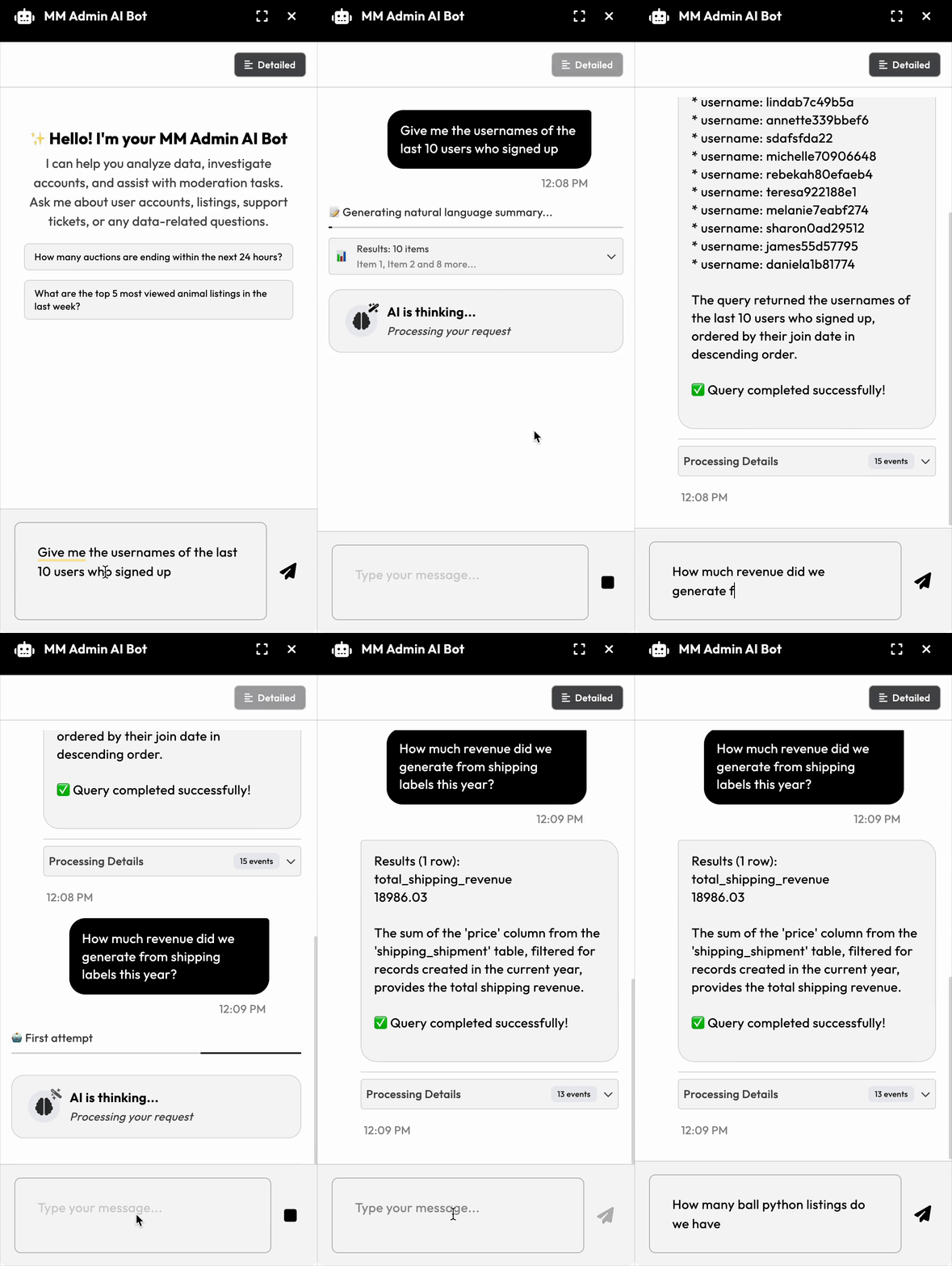
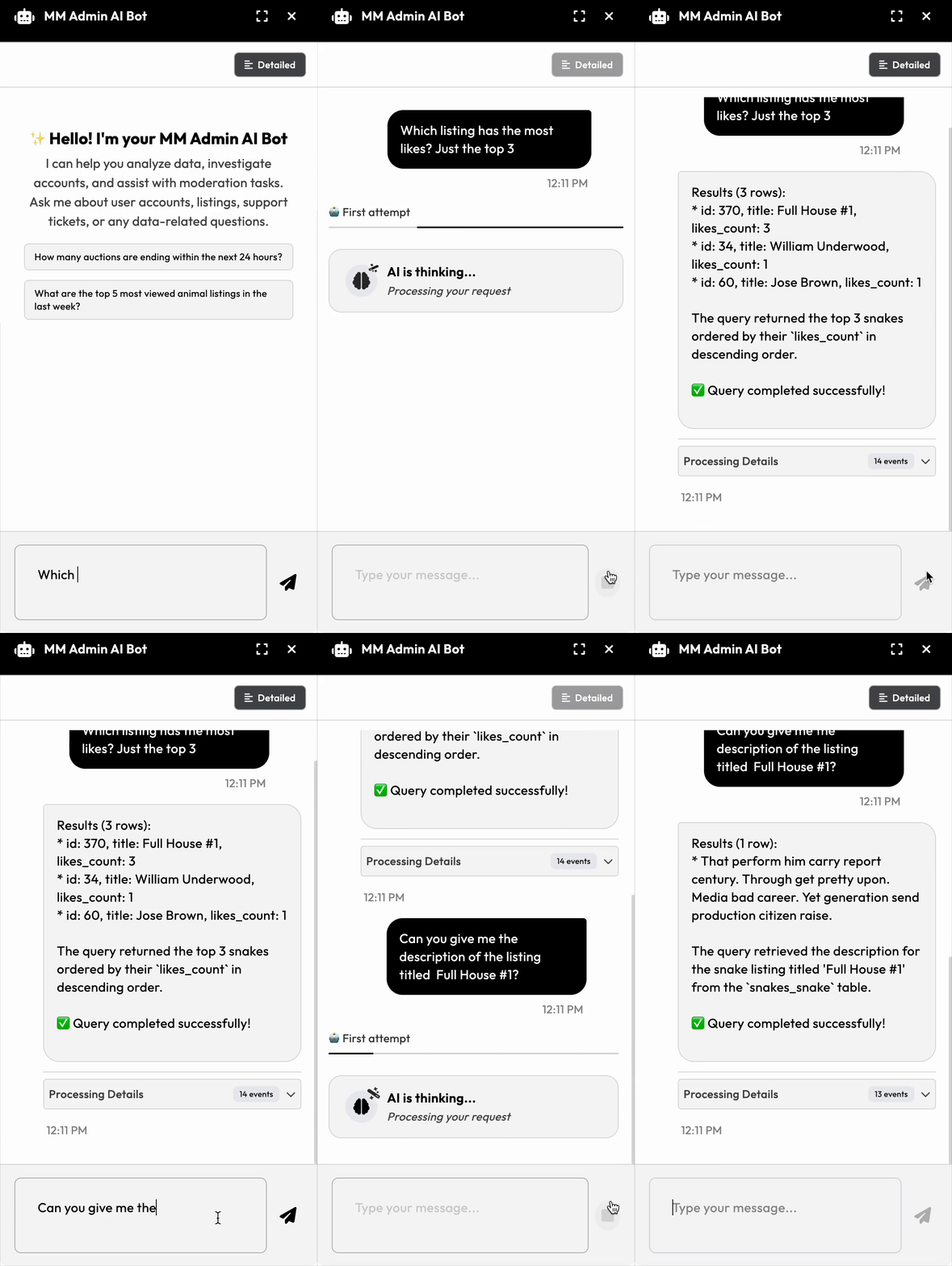
The Problem
Customer service load went up significantly at one of my clients. The CS team constantly needed to pull information from the database, but they had to wait for developers to write queries. Simple questions like "What email addresses does username kiran have?" or "How many listings do we have in the 'ball pythons' category?" required them to go through the annoying admin site or would require engineering time.
We needed a way for non-technical team members to query the production database themselves.
The Core Insight
Here's the key realization that made this project trivial: AI models are exceptionally good at writing SQL when they have your database schema as context.
You can test this yourself right now without writing any code:
1. Export your database schema: pg_dump -W --schema-only mydatabase > schema.sql
2. Upload it to Claude or ChatGPT
3. Ask it questions like "Write a query to find all users who signed up last week"
4. Test those queries in your database
If 80% work out of the box, you're ready to build this. The rest is detail: in our case we built a chat interface bubble where internal team members could ask questions. It would then take the input in English and: 1. Convert to an appropriate SQL query 2. Execute that against our database 3. Format the results in a human-readable way (via a second LLM call)
That's it! And you can stop reading here if you like and dive in. All in all, the entire implementation took one day, largely because the AI wrote most of the code once we had the architecture.
How It Works: The Architecture & Implementation
The Basic Pattern
The system uses a tool-calling pattern where the AI can invoke a single function we expose:
The run_query Tool:
- Takes one parameter: a SQL query string
- Executes read-only queries against the database
- Returns results back to the AI for formatting
The Flow:
1. User asks: "Does userid 511 have any incomplete orders?"
2. System sends to AI with:
- The full database schema
- Tool description for `runquery
   - Safety instructions and examples
3. AI generates SQL and calls
run_query` tool
4. Our system executes the query
5. AI formats the results: "Yes, user 511 has 3 incomplete orders: #4521, #4589, #4601"
Safety Measures
Since this queries production data, we implemented several safeguards:
Database-level read-only access: Created a read-only database user with permissions enforced at the Postgres level, not just the application level. This prevents any accidental data modification.
Prompt-level restrictions: Instructed the AI to never reveal passwords, password hashes, authentication tokens, or other sensitive information.
Query validation: Only
SELECTstatements are allowed.
As we build confidence, we may relax some restrictions, but these protections give us peace of mind with production data.
The System Prompt
Here's the prompt template we use. It includes the schema (not shown here), safety rules, and examples:
## IMPORTANT RULES (read carefully)
  - Always generate **PostgreSQL (ANSI SQL)** queries. Avoid non-Postgres vendor functions; rely on standard string/date ops supported by Postgres.
  - Queries must be **read-only**: use `SELECT` only (no INSERT/UPDATE/DELETE/DDL).
  - Prefer fully-qualified table names when helpful (e.g., public.accounts_users).
  - **Never reveal sensitive information** including passwords, password hashes, confirmation email links, 2FA tokens, or any other authentication secrets.

## AVAILABLE TOOL
  - **run_query**: Executes a read-only SQL query
  - Parameters:
     - `query`   (required): a single SQL string

## EXAMPLES

### Example 1 -> Q: "What are the 5 most expensive ads currently listed?"
Assistant must call run_query
{
  "query": "
    SELECT s.id, s.title, s.price_currency, s.price, s.store_id
    FROM public.listings_list s
    WHERE s.active = 1 AND s.visibility = 1 AND s.state = 0
    ORDER BY s.price DESC NULLS LAST
    LIMIT 5
  "
}
Then summarize: "Here are the five most expensive currently listed ads."

### Example 2 -> Q: "Show me ads with the word 'yellow' in their name."
Assistant must call run_query:
{
  "query": "
    SELECT s.id, s.title, s.price_currency, s.price, s.store_id
    FROM public.listings_list s
    WHERE lower(s.title) LIKE '%yellow%'
    ORDER BY s.first_listed DESC NULLS LAST, s.id DESC
    LIMIT 100
  "
}
Then summarize: "Ads whose title contains 'yellow'."

### Example 3 -> Q: "How many auctions are currently running?"
(Compute ends_at from created + (duration hours) + extra_time; running if now() between created and ends_at)
Assistant must call run_query:
{
  "query": "
    WITH spans AS (
      SELECT
        a.id,
        a.created,
        (a.created + (a.duration || ' hours')::interval + a.extra_time) AS ends_at
      FROM public.auctions_auction a
    )
    SELECT COUNT(*) AS count
    FROM spans
    WHERE now() >= created AND now() < ends_at
  "
}
Then summarize: "There are N auctions currently running."
Teaching the AI About Your Data Model
The schema alone isn't always enough. You need to explain quirks and conventions:
Data model peculiarities:
In my client's case, listings can be owned by either a Store OR a User (without a store). A listing has either store_id or user_id populated, but not both—even though all stores also have a user. This creates two paths when querying "listings belonging to a person" and wouldn't be obvious from the schema alone.
Business terminology vs. database structure:
Non-technical team members say "ads on sale" but the database has state=0. If there's a gap between how people talk about data and how it's structured, you must explain it. Common lingo like "active listings" might map to multiple conditions: active=1 AND visibility=1 AND state=0.
Enum mappings: Our code uses enums, but the database stores integers. The AI needs to know that FOR_SALE=0, SOLD=1, etc. (Lesson learned: we regret using enums and storing integers—strings would have been more maintainable.)
Cost Optimization Opportunities
At $0.02 per thread, there's significant room for improvement:
Clean the schema dump: We haven't even removed index definitions, constraints, and comments yet. This would cut context size in half.
Two-pass approach: First, have the AI identify which tables are relevant to the question, then only include those table definitions in the second pass.
Caching: Many questions are similar—we could cache generated queries or use prompt caching for the schema.
Now it's your turn
Go ahead and give this a shot -- you'll be pleasantly surprised (and you'll wow your boss/client)